
Never miss a restock again
Let shoppers sign up for an email when sold-out products return. Automatic, GDPR-compliant, and 100% free.
Everything you need, nothing you don't
Back in Stock does one thing perfectly: turn out-of-stock frustration into recovered sales.
Drop the "Notify Me" button on product pages from the theme editor. No code, no liquid edits, no developer required.
Customers are notified the moment inventory is back, using your own Resend account. Branded, reliable, and deliverable.
GDPR webhooks wired up, one-click unsubscribe on every email, and no data sold to third parties. Ever.
Track who signed up, what sold out, and which notifications converted. All in one clean Polaris dashboard.
Theme App Extension means it works with Dawn, Impulse, and every modern Online Store 2.0 theme out of the box.
Powered by Shopify's inventory_levels/update webhook — notifications fire within seconds of restocking.
Up and running in 5 minutes
Three steps. Zero code. Real results.
- 01
Install the app
Add Back in Stock from the Shopify App Store. Free forever, no credit card required.
- 02
Enable the theme block
In the theme editor, drop the "Notify Me" block on your product page. Takes about 30 seconds.
- 03
Customers get notified — automatically
When inventory returns, Back in Stock fires restock emails to subscribed shoppers within seconds.
See it in action
A clean, Polaris-native admin that feels like part of Shopify.
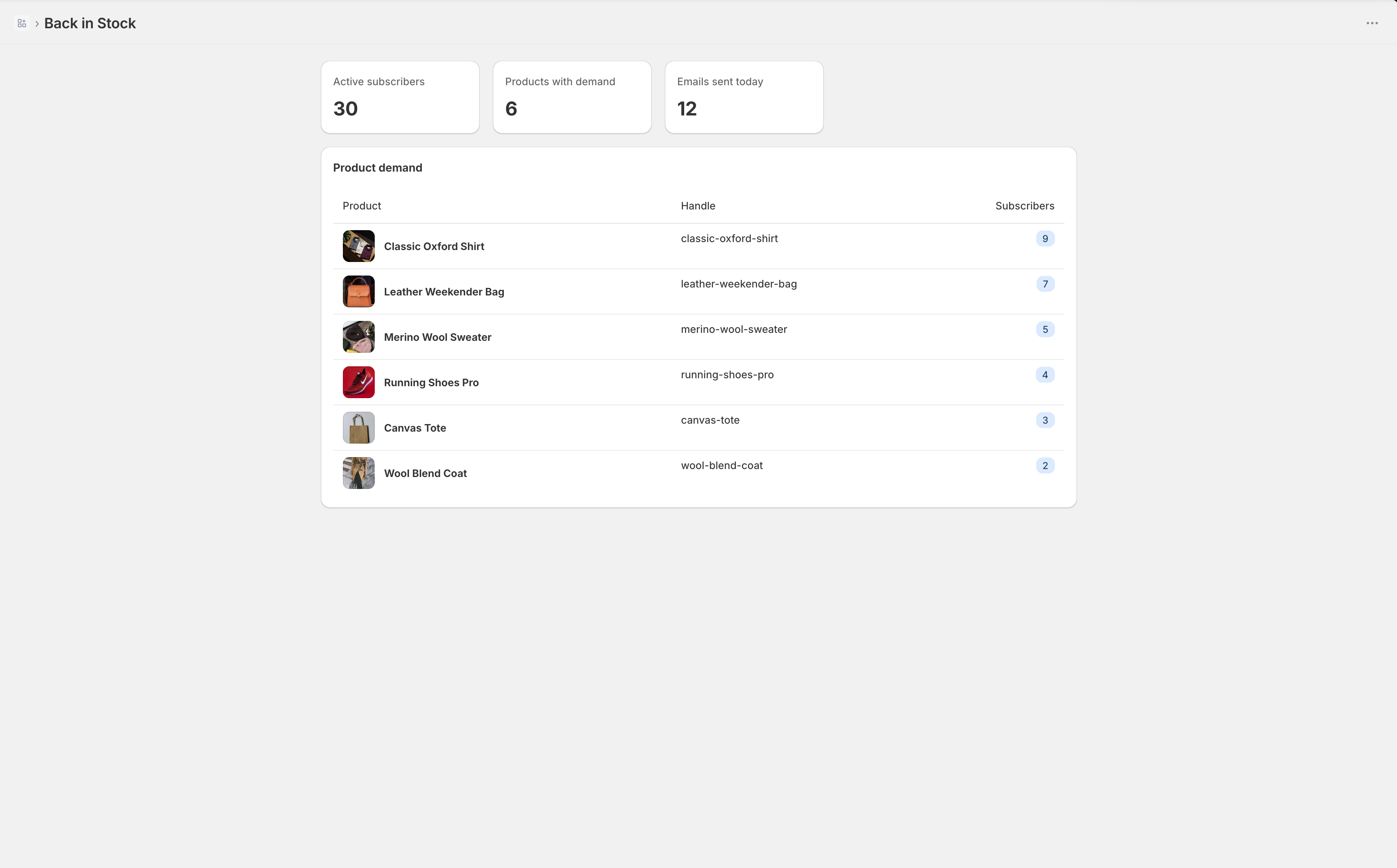
Active subscribers, products with pending demand, and a live ranking — so you know what to restock first.
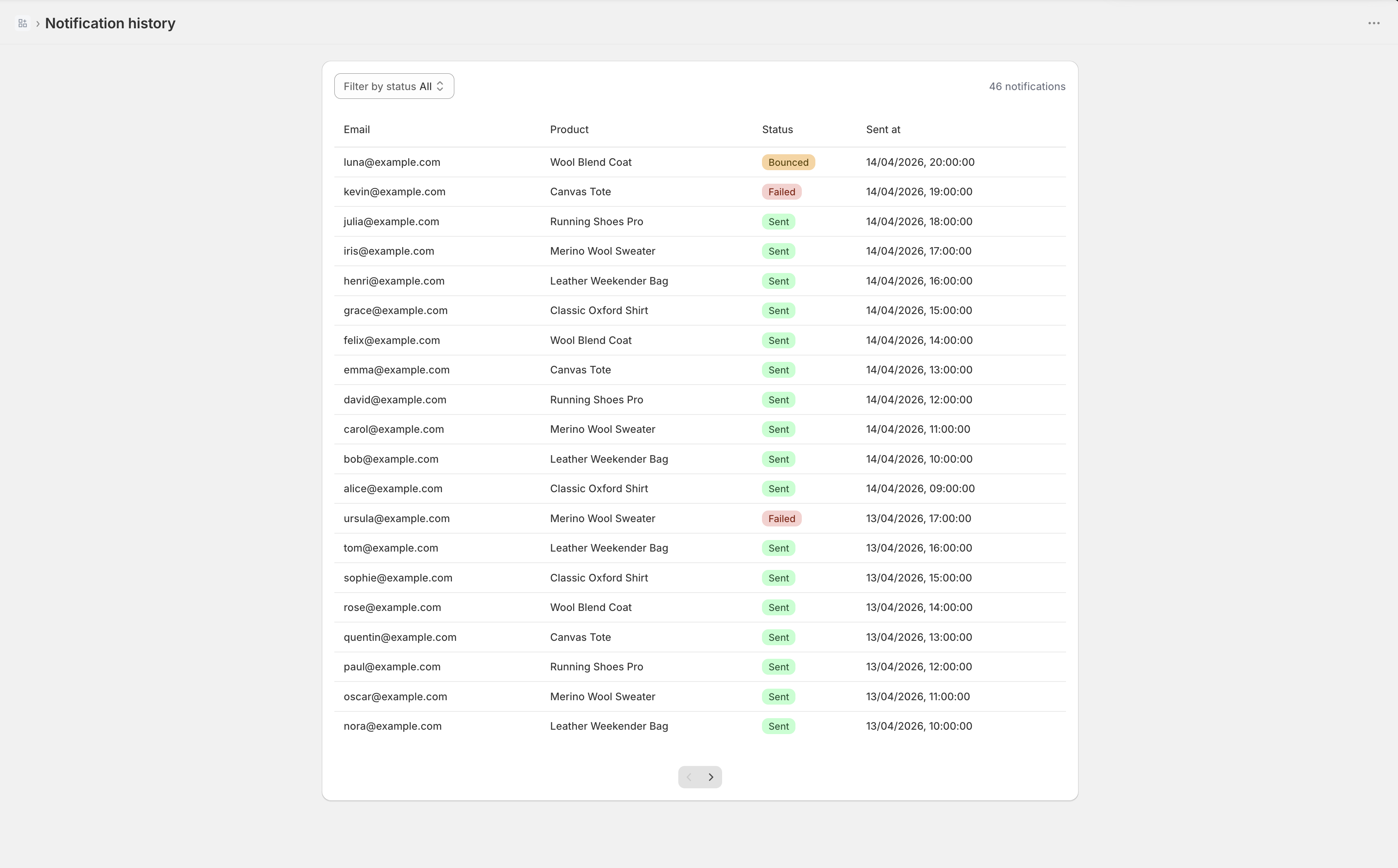
Full history of every email sent — status, bounces, timestamps. Filter and audit in one click.
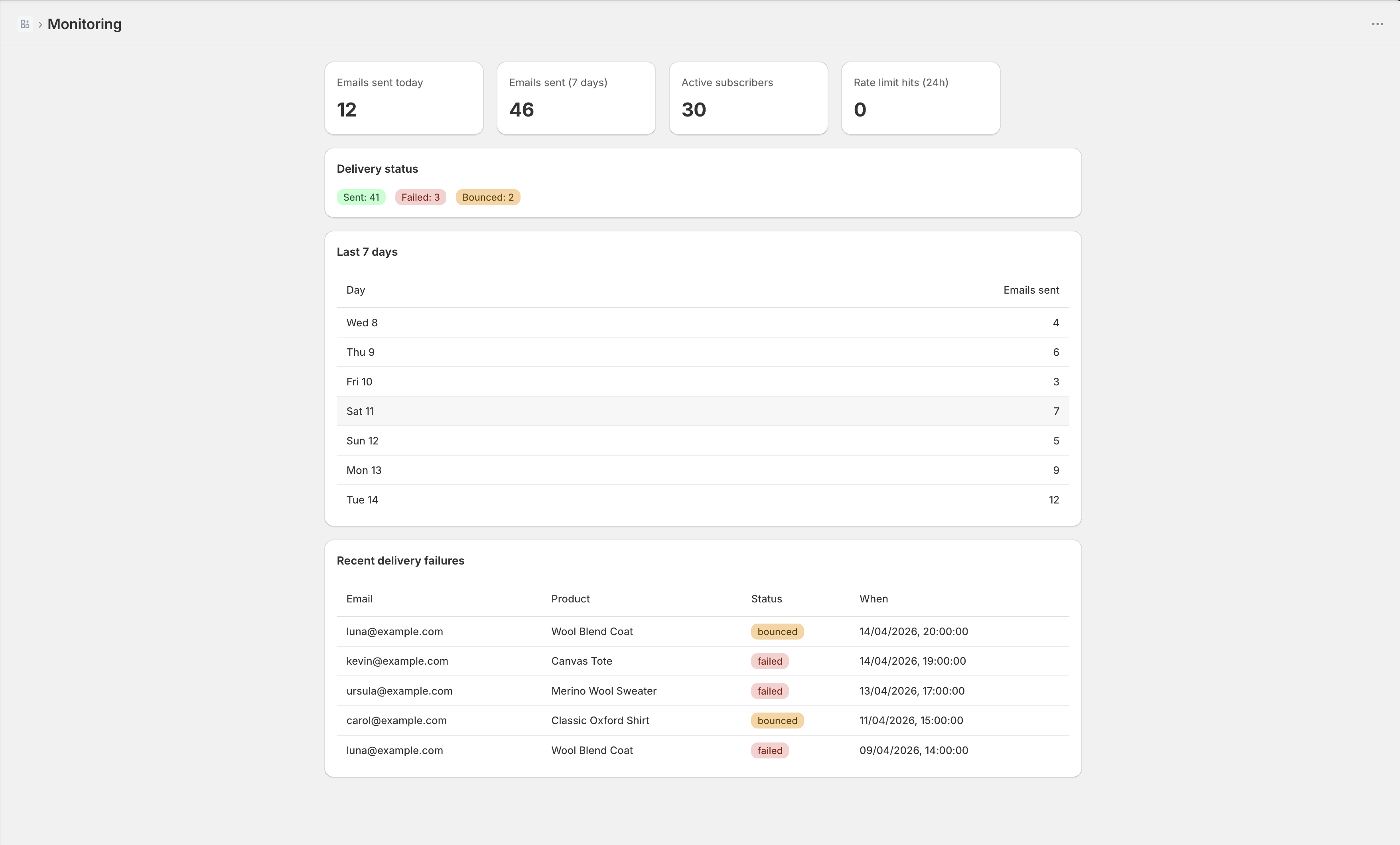
7-day delivery charts, rate-limit counters, and delivery-failure breakdowns — built-in observability.
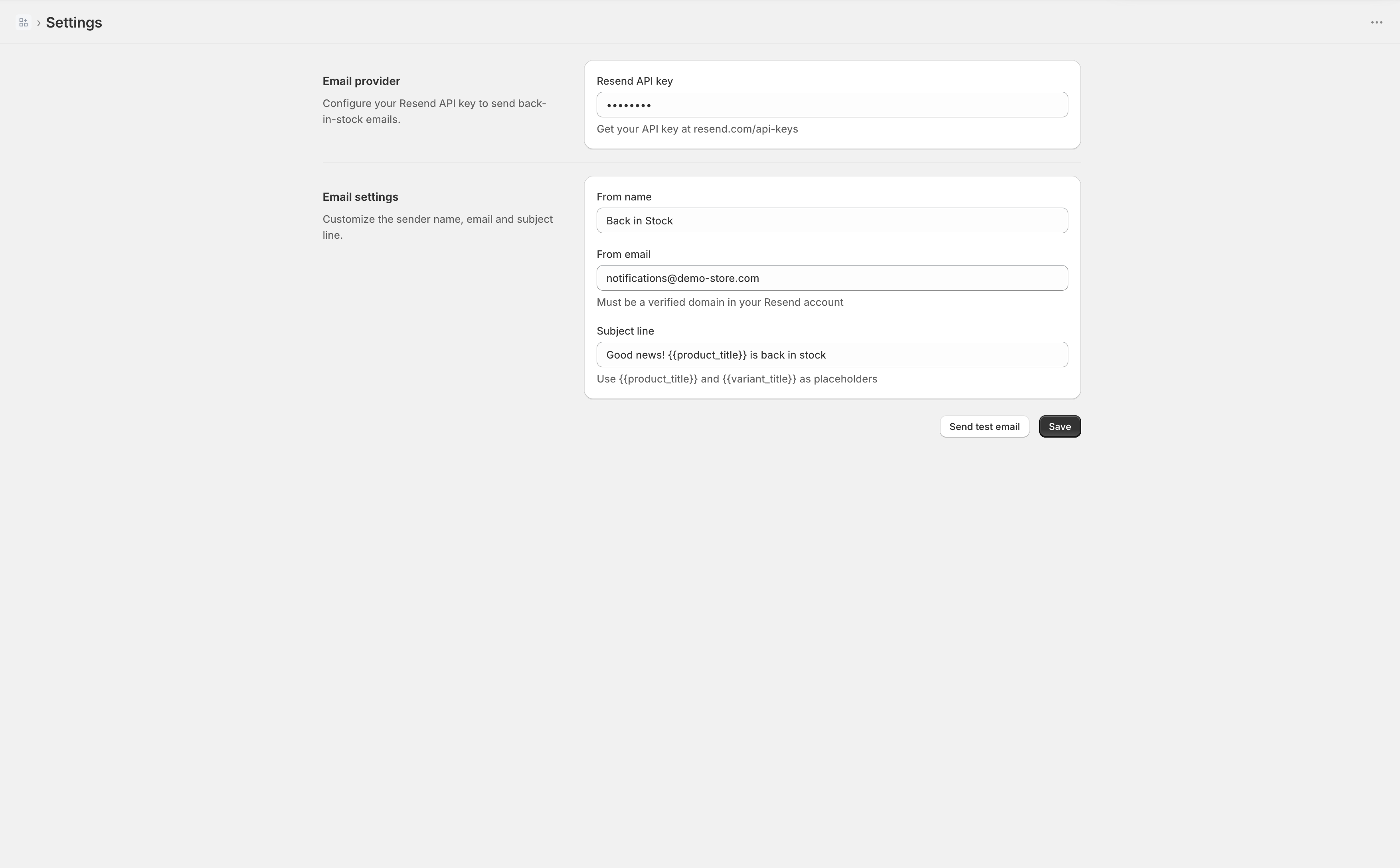
Drop in your Resend API key, set the sender name/email and subject line. Send a test email. Done.